






Managing Sunday School Programs Is Complex—We Make It Simple

Why Choose Anirona for Sunday Schools?

Running a Sunday school is about nurturing faith and community—not chasing paper forms, missed payments, or attendance records. Anirona brings everything together so directors, teachers, families, and volunteers can stay connected and organized.


Benefits for Your Church

Save hours every week with streamlined registrations, payments, and reports.

For Admins

Save hours with automation and accurate reporting.


For Teachers

Easily manage rosters, notes, and communication with families.


For Parents

Register and pay online, stay updated, and enjoy safe pickup processes.


For Volunteers

Clear roles, reminders, and easy shift signups ensure coverage every Sunday.


Effortlessly Manage Your Sunday School Programs with Anirona

class1

1. Flexible Class Management

  • Create and manage multiple sessions per week.

  • Set class sizes, waitlists, and prerequisites.

  • Enable transfers, prorated fees, and refunds.

2. Student & Family Portal

  • Parents can register, pay, and manage their child’s schedule.
  • Family wallet with sibling discounts and shared alerts.
  • Check-in/out via QR code or PIN for safe pickup.
student family1
teacher portal

3. Teacher Dashboard

  • View rosters and attendance.
  • Track student progress.
  • Message parents or admins directly.

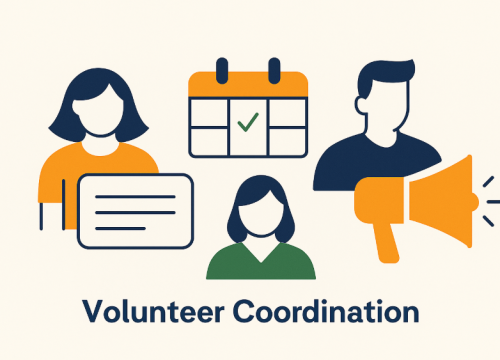
4. Volunteer Coordination

  • Assign roles and shifts for parent or community volunteers.
  • Send reminders and log hours automatically.
volunteer
realtime attendance

5. Real-Time Attendance

  • Mobile and desktop-friendly check-in app.

  • Log incidents and authorized pickups.

  • Syncs with reports and audit logs.

6. Insights & Reporting

  • Track enrollment trends, popular activities, and attendance.
  • Visualize refund patterns and volunteer engagement.
  • Export reports by student, class, or timeframe.
report1
Answers for Parents, Teachers, and Program Leaders

Frequently Asked Questions

We’ve gathered the most common questions about Anirona’s school management system. From registration and payments to attendance, exams, and reporting, find quick answers to help you get started with confidence.

1. How do families register for classes?

Parents can register online through the Family Portal, choosing classes, applying discounts, and paying securely.

2. What payment options are available?

Anirona supports card, ACH, Apple/Google Pay, installments, deposits, and autopay. Refunds and credits can be issued directly from the system.

3. Can the system manage waitlists?

Yes, classes can have capacity limits and automatic waitlists, with notifications sent to families when spots open.

4. How does attendance tracking work?

Check-in and check-out are handled via QR code or PIN, with incident notes and authorized pickup lists for added safety.

5. Can volunteers be scheduled in the system?

Yes, volunteer roles and shifts can be created, reminders sent automatically, and hours logged for tracking.

6. How do teachers use the platform?

Teachers have a dedicated portal to view rosters, take attendance, log progress notes, and message parents or admins.

7. Does Anirona support exams or assessments?

Yes, admins can schedule exams, manage seating, record scores, track progress, and log level changes.

8. What kinds of reports are available?

Reports include enrollment, attendance, payments, refunds, volunteer hours, and exam results, with exports to Excel

9. Is the system secure for families and students?

Yes, all data is protected with secure logins, role-based permissions, and audit logs for compliance.

10. Can programs customize Anirona to fit their needs?

Absolutely. Class types, schedules, roles, billing rules, and communications can all be configured to match each program’s structure.

Simplify registration, payments, attendance, and reporting—all in one platform.

Ready to Simplify Your Sunday School?

With Anirona, you’ll spend less time on admin tasks and more time focusing on faith and community.

Latest articles